


There is almost always a simple mistake behind a website being hacked – code, configuration, or negligence in securing it. The most common reason is that a developer or admin assumes that “the user won’t do anything like hacking”.
But isn’t there anyone on the internet who wouldn’t try to hack? Of course, developers must keep these things in mind when coding. A hacker doesn’t actually create anything new to hack. A hacker finds the mistakes you made.
Some practical reasons are mentioned below:
- Security was not considered when writing the code.
- Old software / CMS not updated
- Use simple passwords
- Unnecessary permissions on the server are open.
- Showing the database error message publicly.
In what ways are websites hacked?
1. SQL Injection – Attempting to gain database access
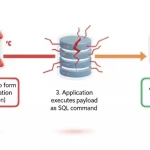
It is easy for hackers when you put user input directly into a SQL query, without any checking. Also, a common problem is that prepared statements are not utilized. The hacker then turns the input field into a place to execute commands instead of asking questions.
- This allows viewing all user data,
- bypassing admin login
- deleting tables, etc.
2. XSS – Cross-Site Scripting
The problem here is not the database, but the browser.
When an input (comment, search, name) is displayed directly on the page as HTML, the hacker inserts JavaScript there. This is dangerous because if one user is infected, other users are also infected.
- Through XSS, hackers can easily steal user cookies,
- Hijack sessions, and
- Perform actions like fake popups/redirects.
3. File Upload Vulnerability
Many sites allow you to upload images/PDF files, but many developers think there is no need to secure them.
But if you don’t verify, the hacker uploads these types of files, like shell.php
Then the hacker calls the browser – yoursite.com/uploads/shell.php
This allows full control of the server, file deletion, and spam/malware entry.
When can a hacker do this easily?
- When there is no file extension check,
- No MIME type verification system, and
- The upload folder is executable.
4. Weak Password & Brute Force Attack
If the admin/login page is open, there is no rate limit, and the password is 123456/admin123 ( Like this easy password ), the hacker will make thousands of attempts.
Although it seems very “common” – most sites are hacked from here.
5. CSRF (Cross-Site Request Forgery)
The user is logged in, but the request is not verified, causing the hacker to click on a link that unknowingly executes an action such as:
- password change,
- email change,
- delete request, etc., then the user doesn’t even understand what happened.
6. Server/Hosting Misconfiguration
It’s not the developer’s fault, but often the hosting’s fault, for this mistake allows hackers to gain access to direct hosting without breaking the code, such as:
- .env file public,
- directory listing enabled,
- unnecessary ports open, and
- root permission granted.
How To Prevent Hacking
It’s pointless to think that “doing one thing will fix everything”. Security is all about layers. If you apply these habits while coding, you will reduce your risk by 60%.
- SQL > prepared statement,
- Output > HTML escape,
- Input > validate + sanitize,
- Authentication Protection,
- Strong password (Mandatory),
- Login attempt limit,
- 2FA verification system.
If you can do this now, most of the attacks are over, so check the ones below carefully. You can see advanced SQL Injection in Cyber Security | Definition, Examples, and Prevention
- File Upload Security,
- Only specific extensions are allowed.
- Random file name,
- Do not make the upload folder executable.
Error Handling
Never show errors in production. Store the error in the error-log file.
If the error log is publicly displayed, the hacker gets this type of information:
- table name,
- column name,
- path info.
Regular Update
CMS/plugin/framework updates,
Server package updates.
Old software means exposing known vulnerabilities, so always keep your project updated.
What steps should be taken for Database Protection?
The database is the most expensive thing. If you make a mistake here, it’s all over.
Limited DB User
Do not grant this permission unless necessary.
- DROP
- ALTER
- SUPER to a database user.
Separate DB Credentials
- .env or config files cannot be made public,
- credentials can never be stored on GitHub.
Backup Strategy
Even if hacked, the only way to survive is to back up every week or month.
- Daily automated backup,
- Off-server backup
Network Level Protection
- DB port cannot be kept public,
- only the server IP should be allowed.
Query Monitoring
- Slow/suspicious query log
- Unexpected delete/update alert
Getting your website hacked doesn’t mean you’re a bad developer. It’s because you didn’t do enough with security. And if we don’t give time to this development sector, someone will take the opportunity to hack.